A visual IDE for the people who build websites.
Create a project, design on a canvas, edit content inline, and wire up interactivity, then commit to git without leaving the app. Everything saves to plain JSON and Markdown: the same files your compiler reads, your git tracks, and your team reviews.
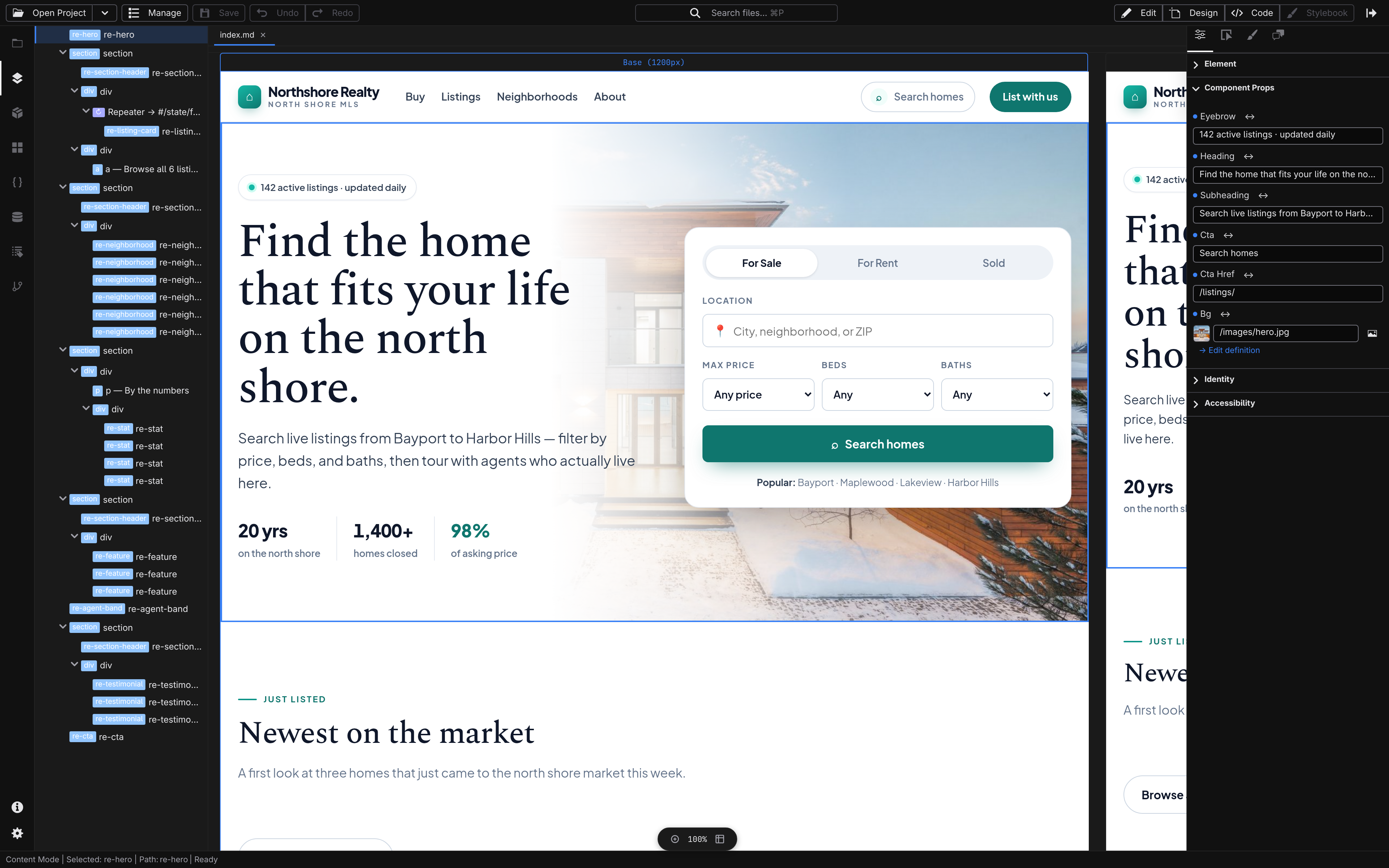
The right surface for every part of the build.
Move between surfaces as the work changes, from file management to content authoring to visual design to scripting.
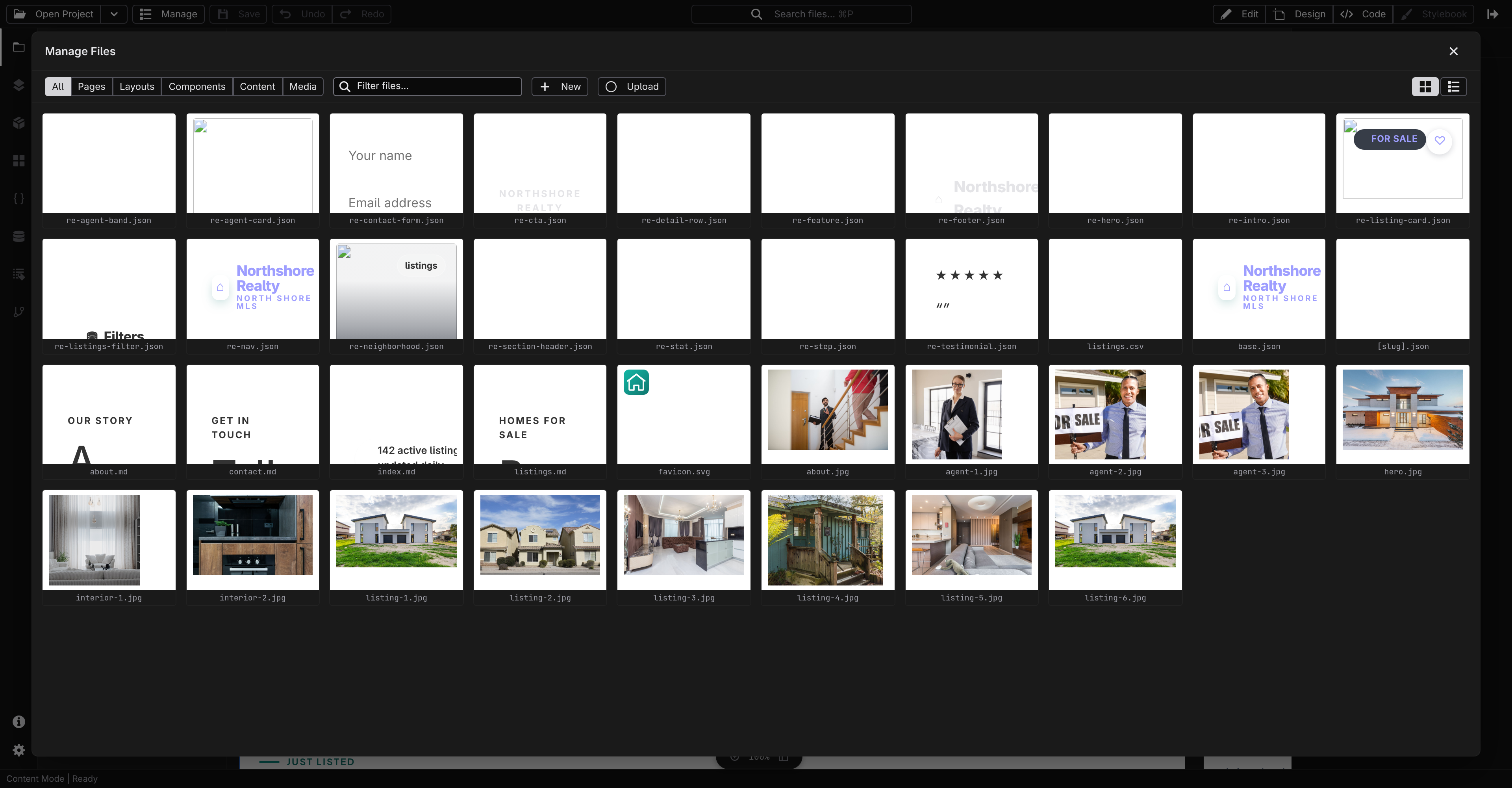
Manage
Project explorer, content collections, and file operations with live previews. Create pages, upload media, and build content models: the CMS layer, without the CMS.
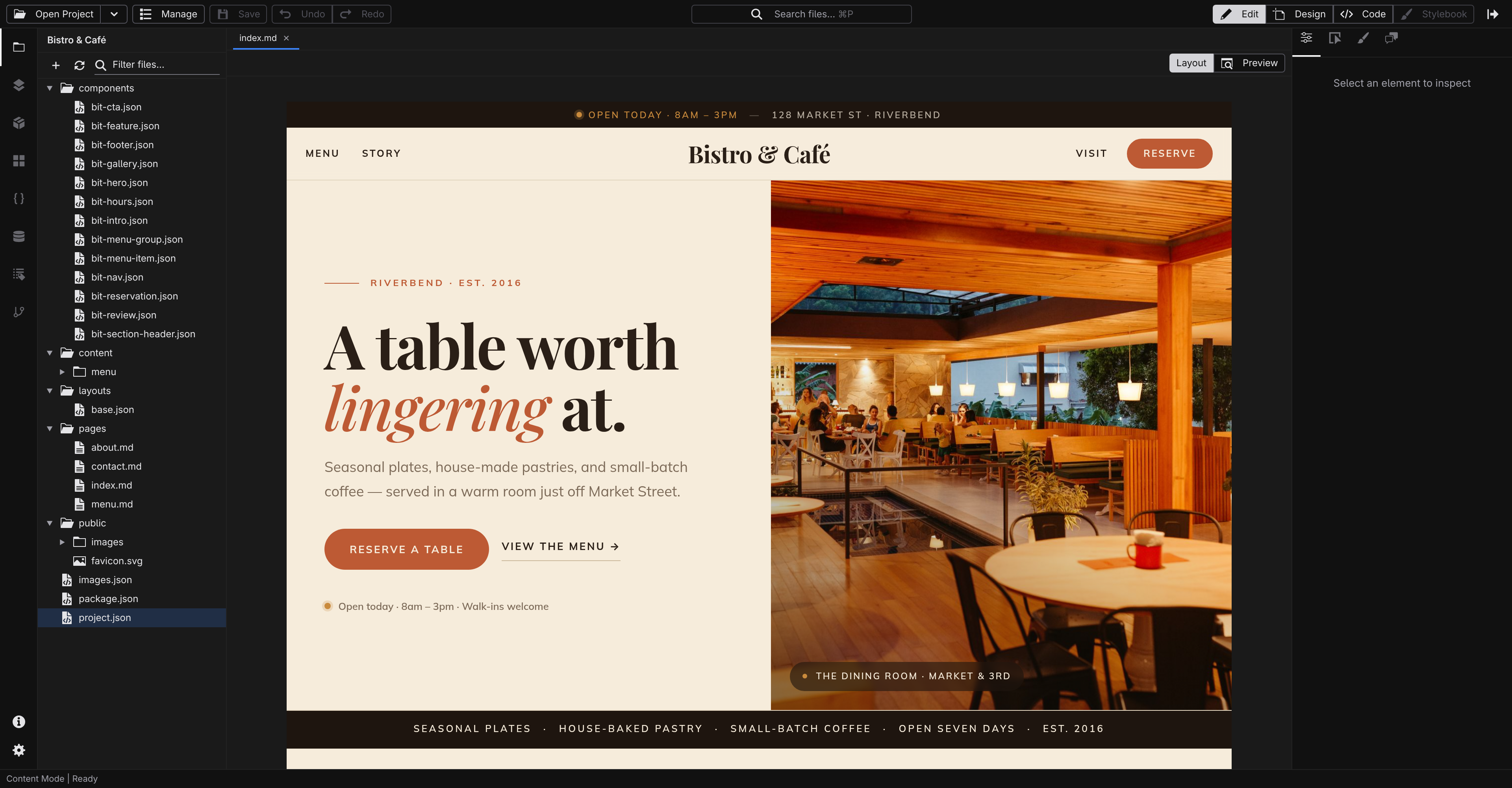
Edit
Click any text and type. Slash commands for blocks, frontmatter forms on the side. WYSIWYG content authoring that feels like Notion, saved as clean Markdown.
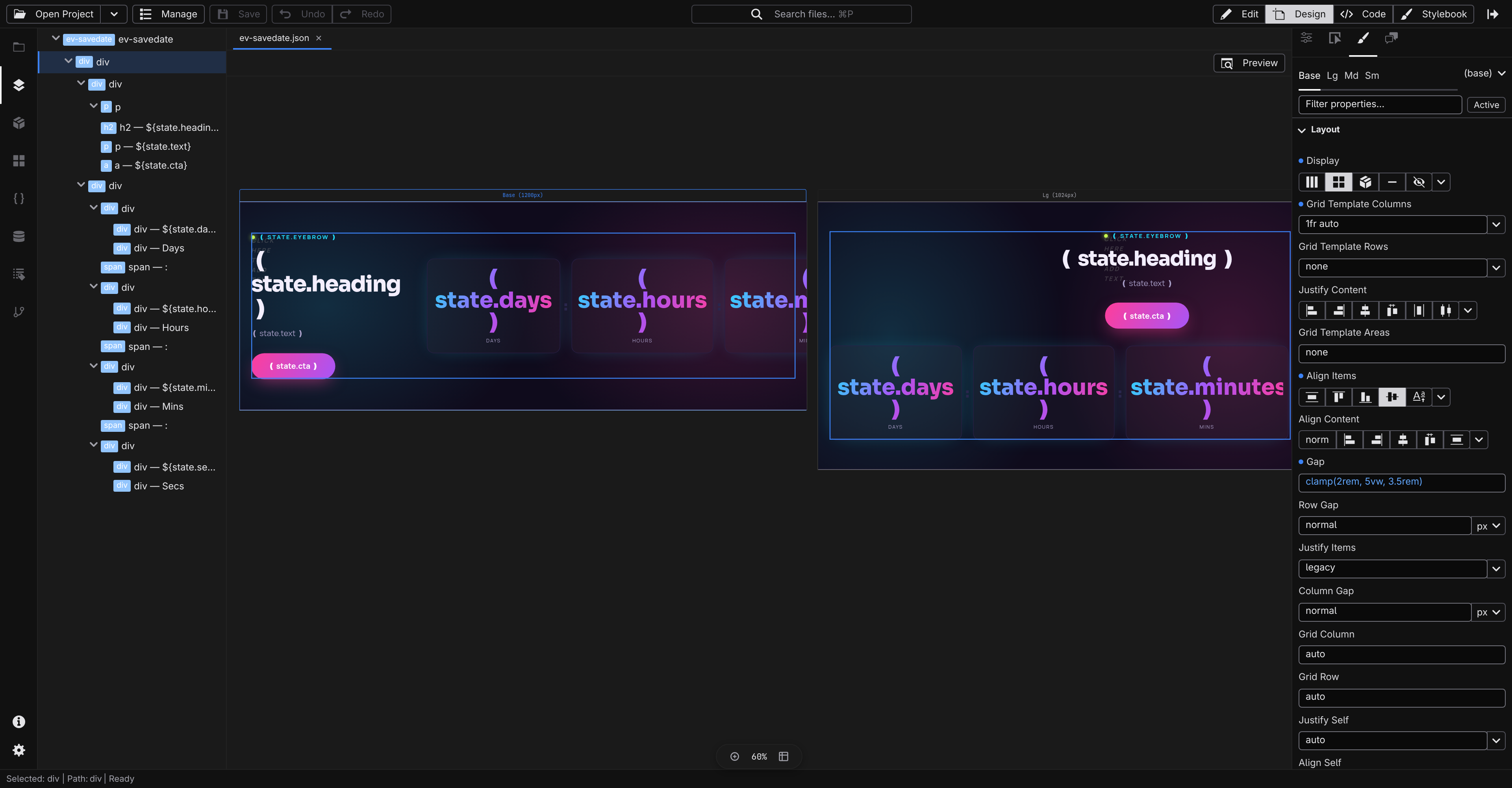
Design
A live canvas for every breakpoint and a full CSS inspector for spacing, type, color, layout, hover states, and design tokens. Everything you'd do in DevTools, but persistent.
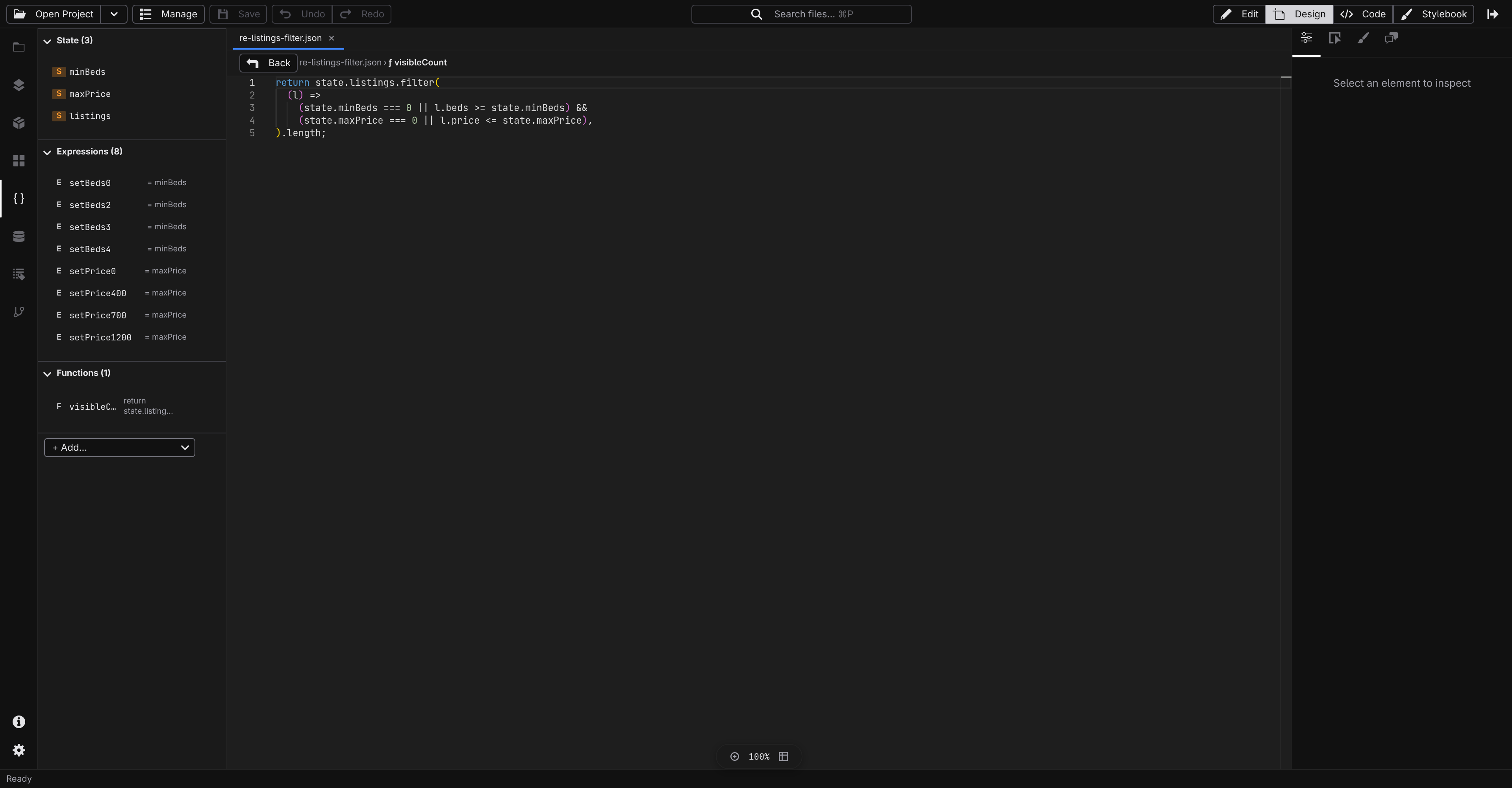
Script
State, data, and events in structured panels, plus a Monaco editor for functions and integrations. Switch a fetch from the browser to the server with one picker, and, once the connector and auth extensions are added, bind a list to a database table or wire up a sign-in form. Hover effects and logged-in apps, same panels.
From zero to editing in a minute.
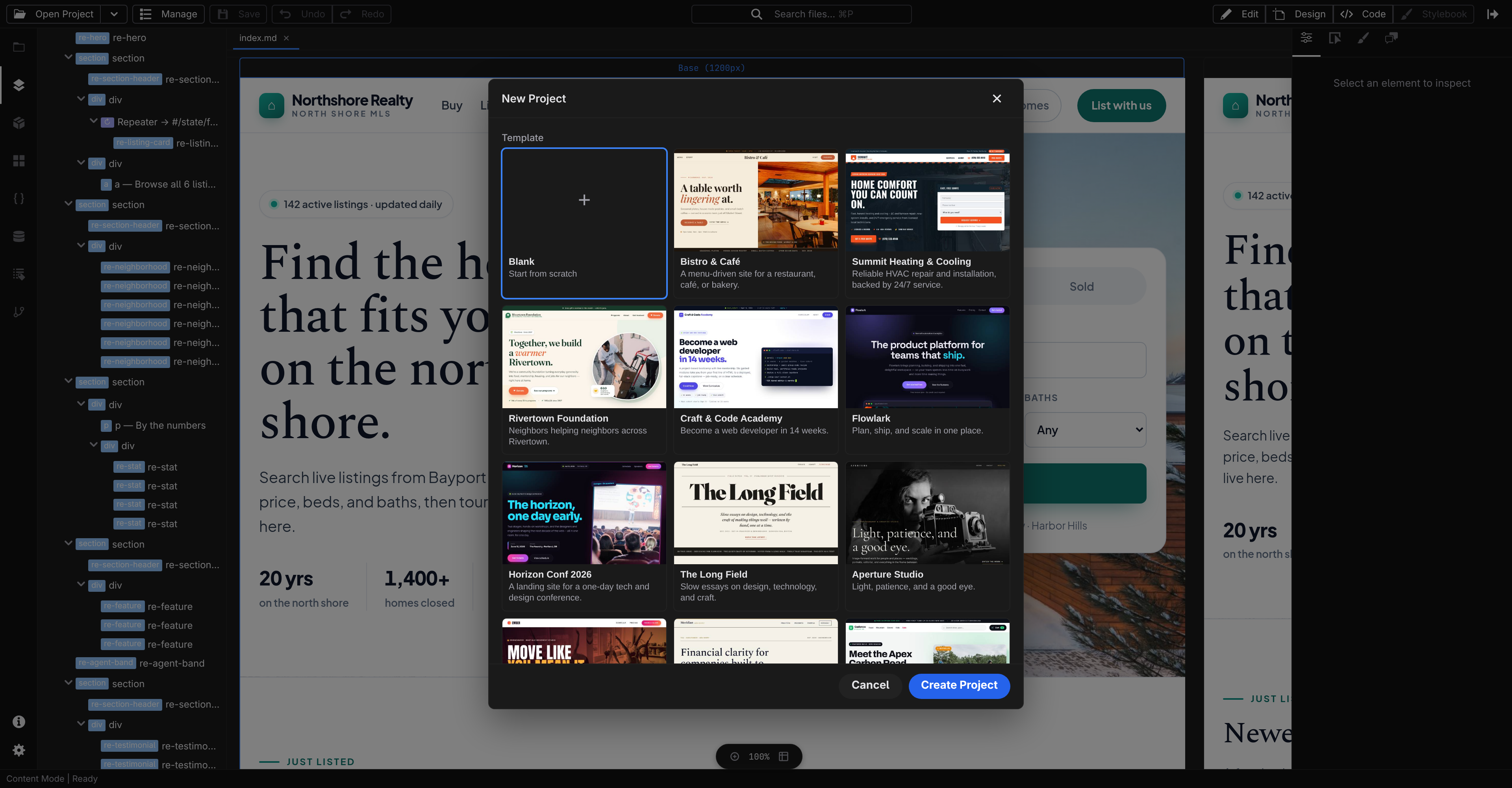
Name a project, pick where it lives, choose how it deploys, and Studio scaffolds a clean starter you can build on. Already have a project? Open it from disk or clone it straight from git.
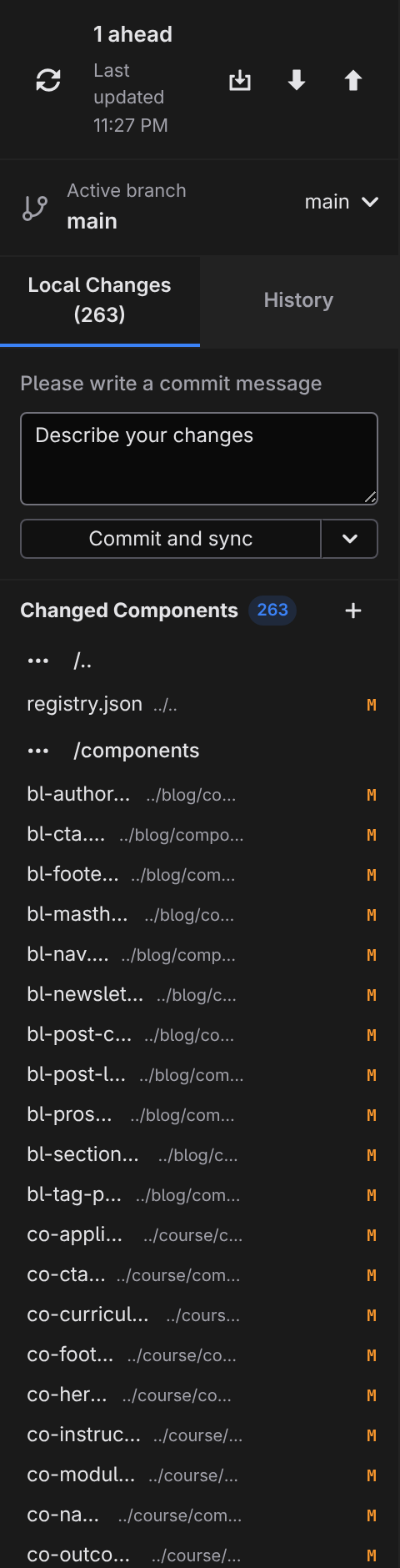
Git is built in. Deploys just happen.
Review changes, write a message, and commit-and-sync, right from Studio. Starting fresh? Create the GitHub repository in a click, from inside Studio. From there, your host builds and publishes the site on every push: pages, assets, and the server tier if your project has one.
The visual builder that doesn't own your files.
Most visual builders trap your work in a proprietary format you can't read, can't version, and can't leave. Jx Studio reads and writes the same JSON and Markdown you'd write by hand. Close the app and your site is still there, still readable, still yours.
Download and start building.
Free, open source, and yours to keep. No accounts, no subscriptions, no vendor approval.
 Suite
Suite